
Create and grow your portfolio effortlessly with one app built for visionary investors
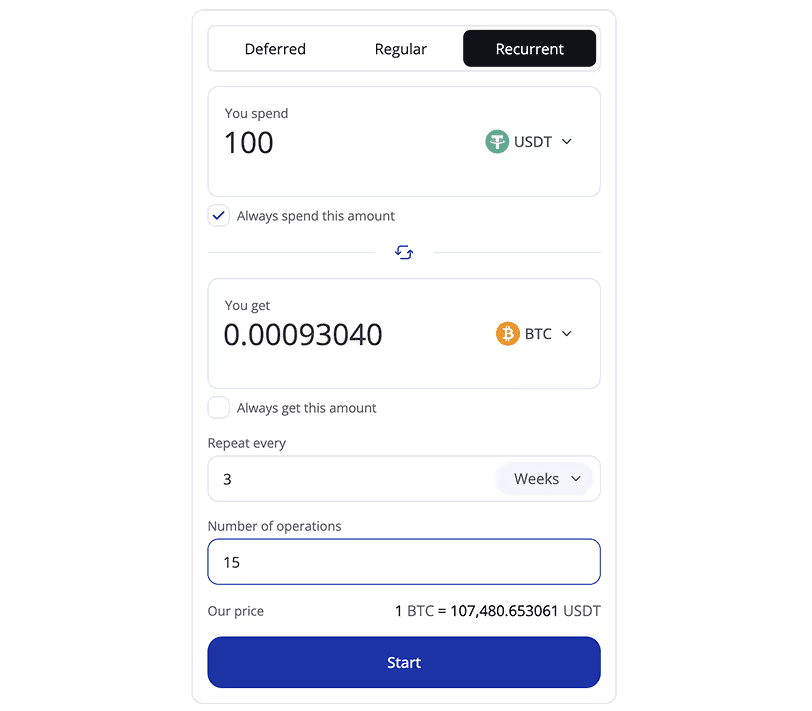

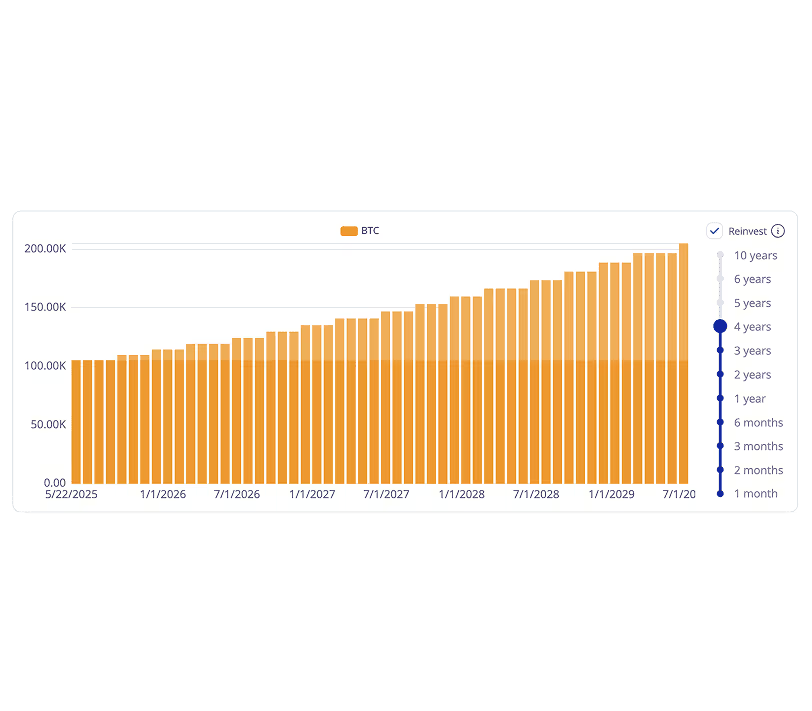

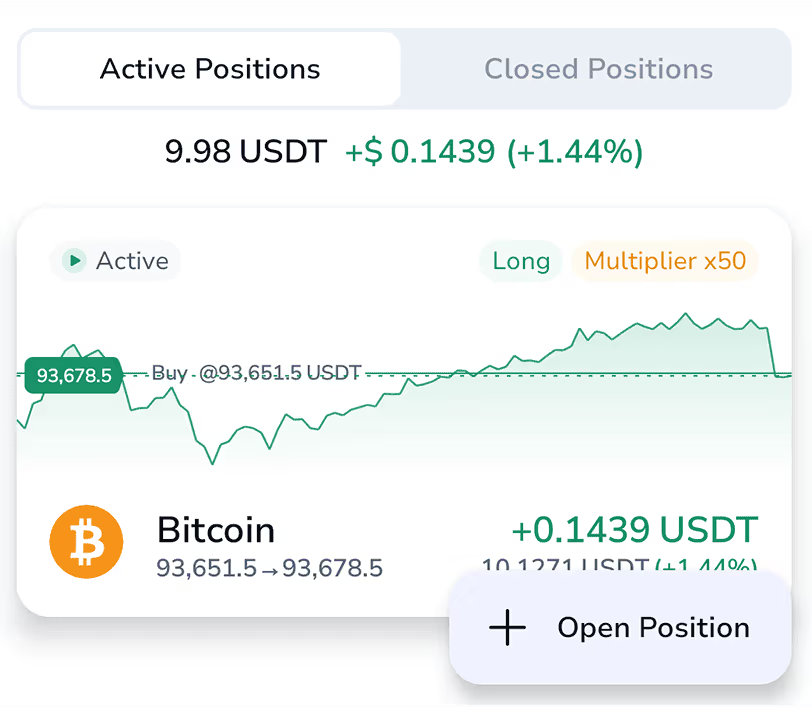

Easy and secure funding
Fund your Hexn account using a range of payment methods tailored to your needs.
Premium wealth solutions for high-net-worth private clients
Why choose HEXN?
HEXN enables visionary investors to grow lasting wealth through a complete range of digital asset solutions. Combining innovative products, strong security infrastructure, and premium client service, we strive to open new avenues for growth and shape the future of wealth management.
See what reviewers are saying
Our expert team is available 24/7, delivering professional, responsive and secure assistance tailored to your needs.Frequently asked questions
How to make a deposit using your local currency
In this article, we’ll explain how to make a deposit in various fiat currencies such as EUR, USD, NGN, ZAR, GBP, and others, including using a bank transfer.
⚠️ Please note: direct cash deposits are not supported at the moment.
Instead, you can easily purchase crypto using your bank card. Here’s how:
How to buy crypto with a bank card
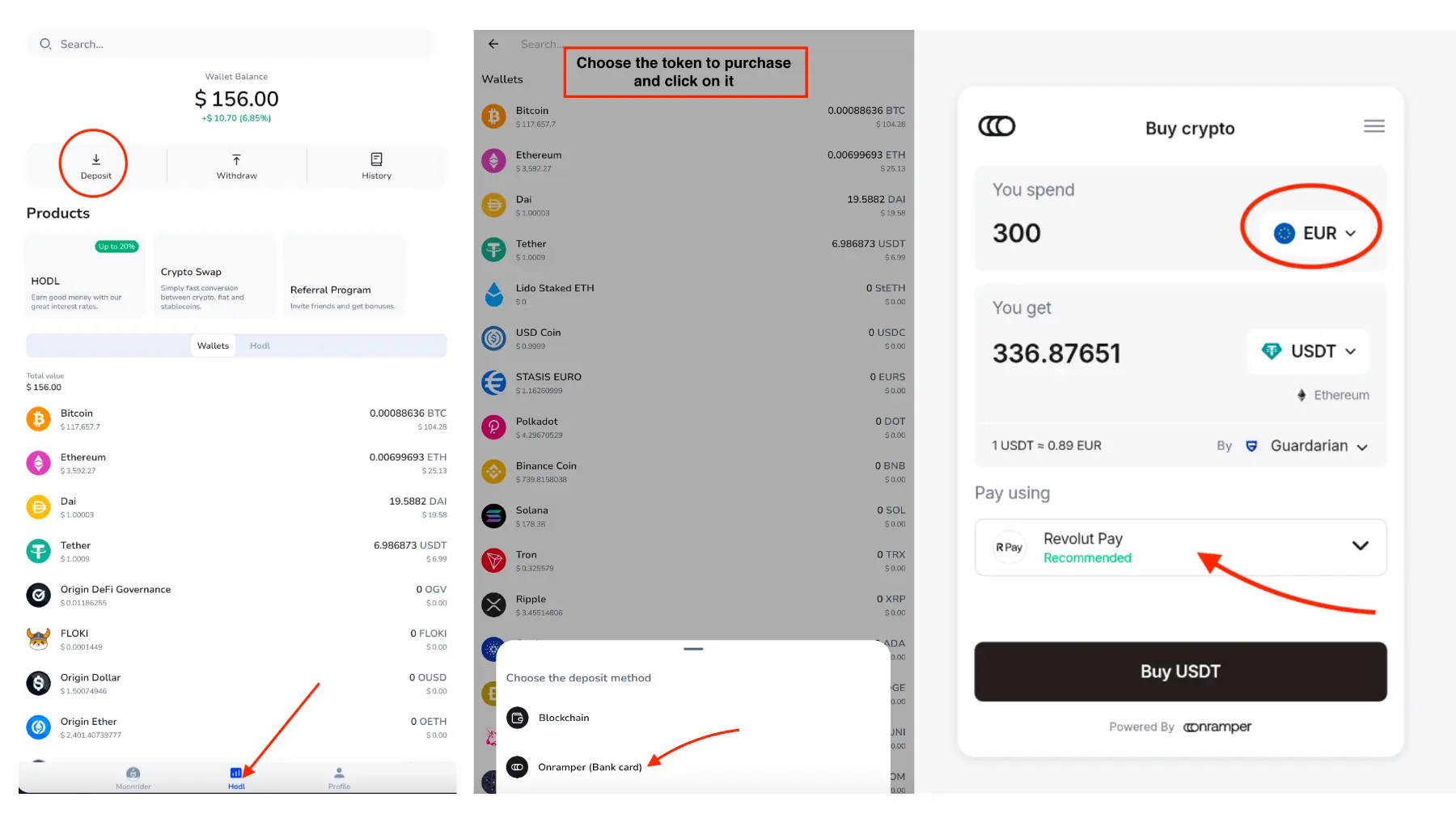
- On the home screen of the app, switch to the HODL tab.
- Tap the “Deposit” button and select the cryptocurrency you want to purchase.
- Choose “Bank card” as your payment method.
- Follow the on-screen instructions to complete your purchase securely.
How to use other payment methods (including bank transfer)
If you prefer a different payment method such as a bank transfer, click on the “Pay using” drop-down menu in the same section. You’ll see a list of available options based on your location and selected currency.
After the payment is processed, the purchased crypto will be automatically credited to your account.
And that’s it - your crypto is now in your HEXN wallet and ready to start earning for you!
How to understand the statistics of my savings?
In this article, we’ll walk you through the key metrics shown in your savings dashboard, so you can confidently track your earnings and manage your investments.
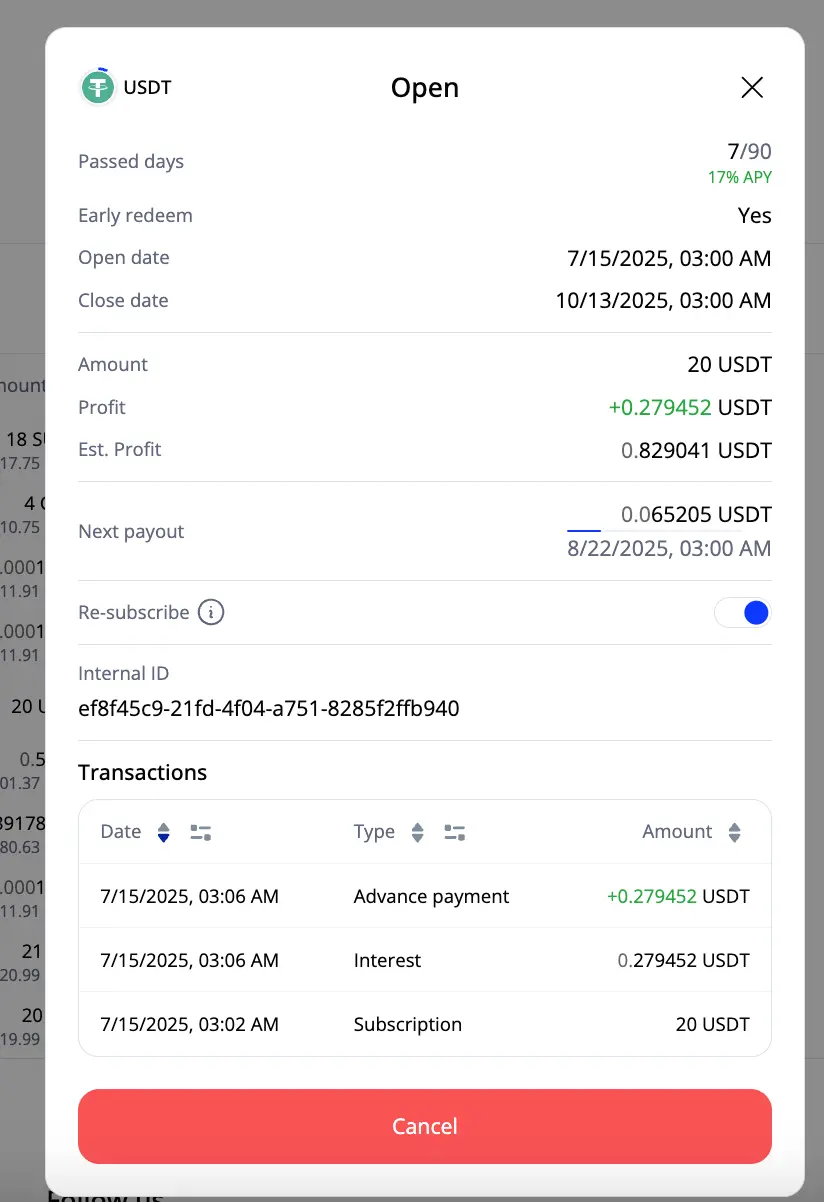
Here’s a breakdown of each data point:
1. Currency & Status
At the top, you can see the currency you're saving in (e.g. USDT) and the status of the savings (e.g. Open).
2. Passed days
Shows how many days have passed since the savings started.
3. APY
Displays the annual interest rate (Annual Percentage Yield) applied to this savings.
4. Early redeem
Indicates whether you can close the savings early.
5. Open date / Close date
These are the start and end dates of your savings term.
6. Amount
The principal amount you’ve invested in this savings.
7. Profit
This is the profit you’ve earned so far, based on elapsed time and APY.
8. Est. Profit
Your estimated total profit for the full term if held until maturity.
9. Next payout
Shows both the expected profit amount and the date it will be credited to your balance.
10. Re-subscribe
Toggle that lets you automatically renew your savings with the same terms once it expires.
11. Internal ID
A unique identifier used by our support team for troubleshooting.
12. Transactions
A detailed list of all activities related to this savings:
- Date – when the event happened
- Type – category of the transaction (e.g. Subscription, Interest, Advance payment)
- Amount – value involved in the transaction
13. Cancel button
Tap this red button if you want to redeem your savings early.
By understanding these metrics, you’ll have a clearer view of your earnings and more control over your crypto investments. If anything seems unclear, don’t hesitate to contact our support team - we’re here to help.
Can I use your platform?
HEXN.IO is an international FinTech company that provides crypto-related services to its customers on a worldwide scale. However, due to legal restrictions, there are minimal requirements for those who want to benefit from using our platform.
At the moment, we cannot provide services to residents of the following countries:
- Afghanistan
- Bahamas
- Barbados
- Botswana
- Cambodia
- Democratic People’s Republic of Korea
- Ghana
- Iraq
- Islamic Republic of Iran
- Jamaica
- Myanmar
- Nicaragua
- Pakistan
- Syrian Arab Republic
- Trinidad and Tobago
- Uganda
- United States
- Vanuatu
- Yemen
- Zimbabwe
For detailed legal information, please refer to our Terms & Conditions.
What is Advance Payment?
Everyone wants to get their money right here, right now and with HEXN’s Advance Payment feature, now you can.
This option allows you to receive part of your future interest instantly, right after opening a savings. Here's how it works.
Some coins (like USDT) come with an Advance Payment badge - this means the feature is available for that asset.
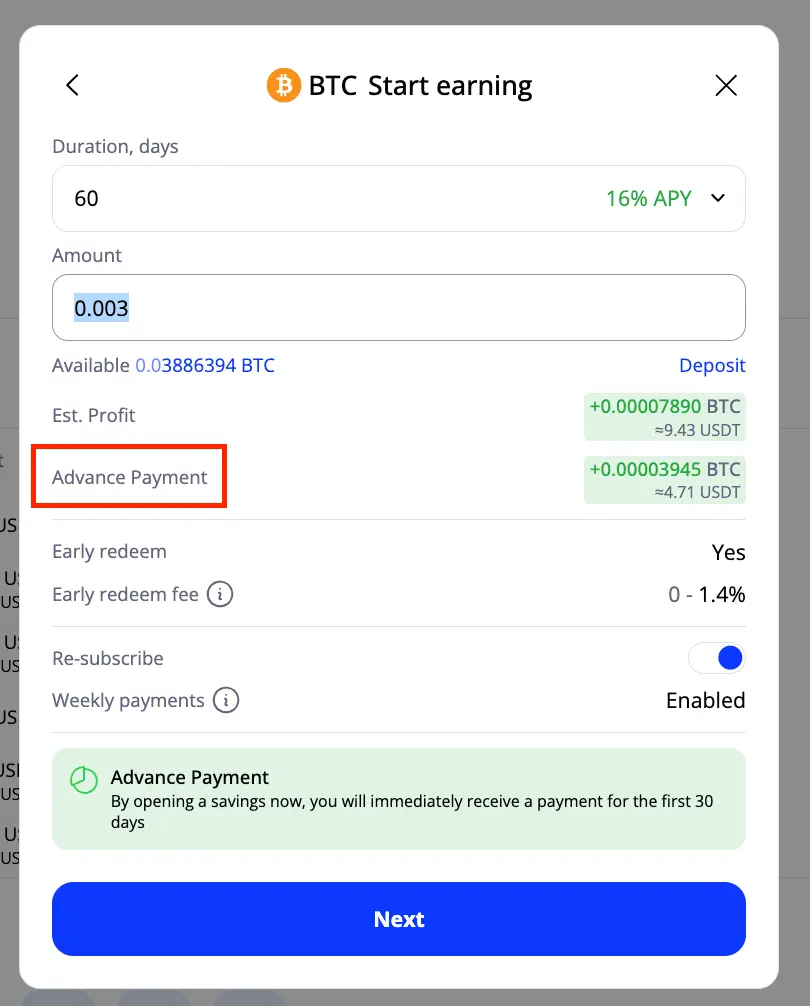
Once you choose a coin and start setting up savings, you’ll see a green notification in the settings window. It shows:
- The amount of interest to be paid upfront
- The period this interest covers (the first 30 days)
Please note: this part of the setup is locked - the terms of Advance Payment cannot be changed.
Once you confirm, the specified portion of your interest is immediately credited to your balance. So instead of waiting for 30 days, you already have that profit in hand.
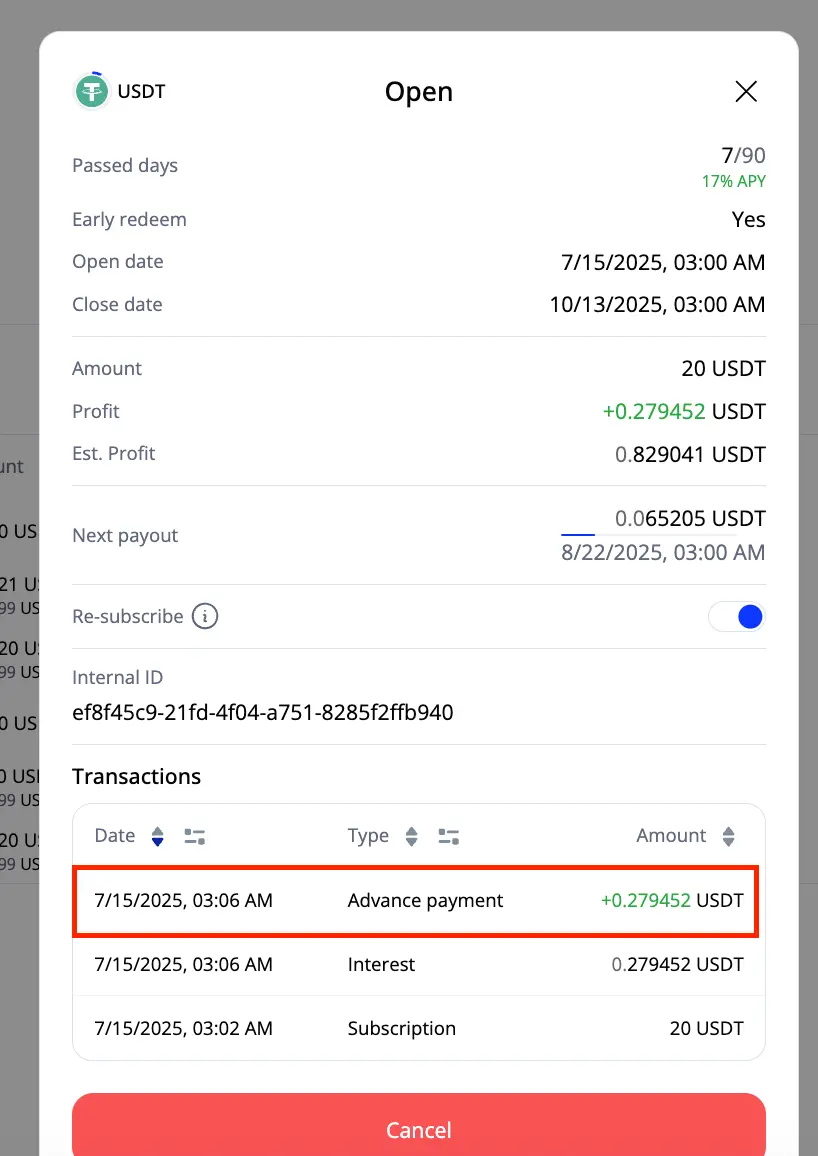
What happens next?
Since you’ve already received the first 30 days' worth of interest in advance, you won’t be credited again on Day 30. After that, the rest of the interest continues to accumulate as usual until the end of the savings term.
How to reset password
In this article, we'll show, how to reset your password.
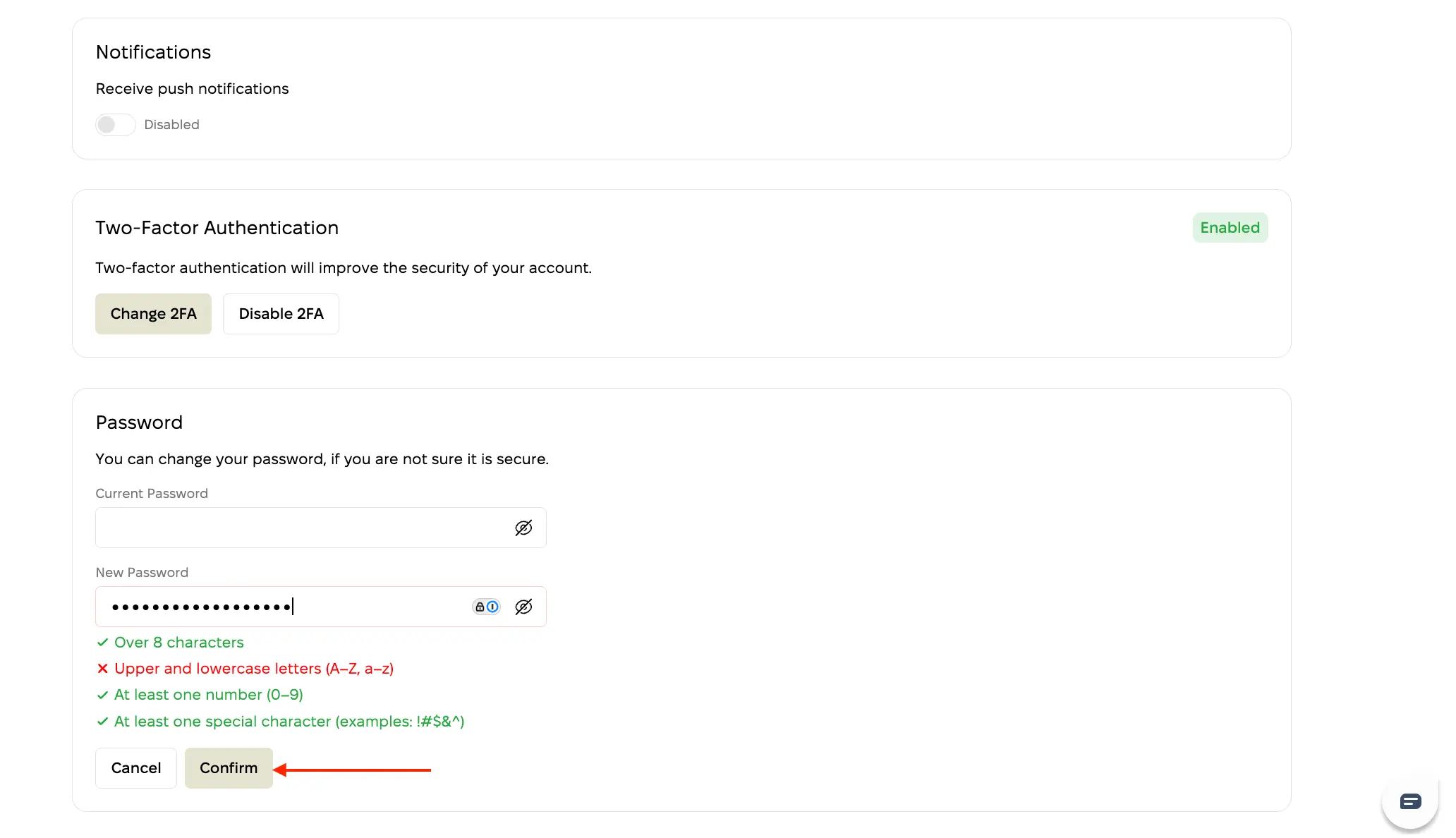
From your account when you are logged in.
- Navigate to the settings of your account
- Click on "change password"
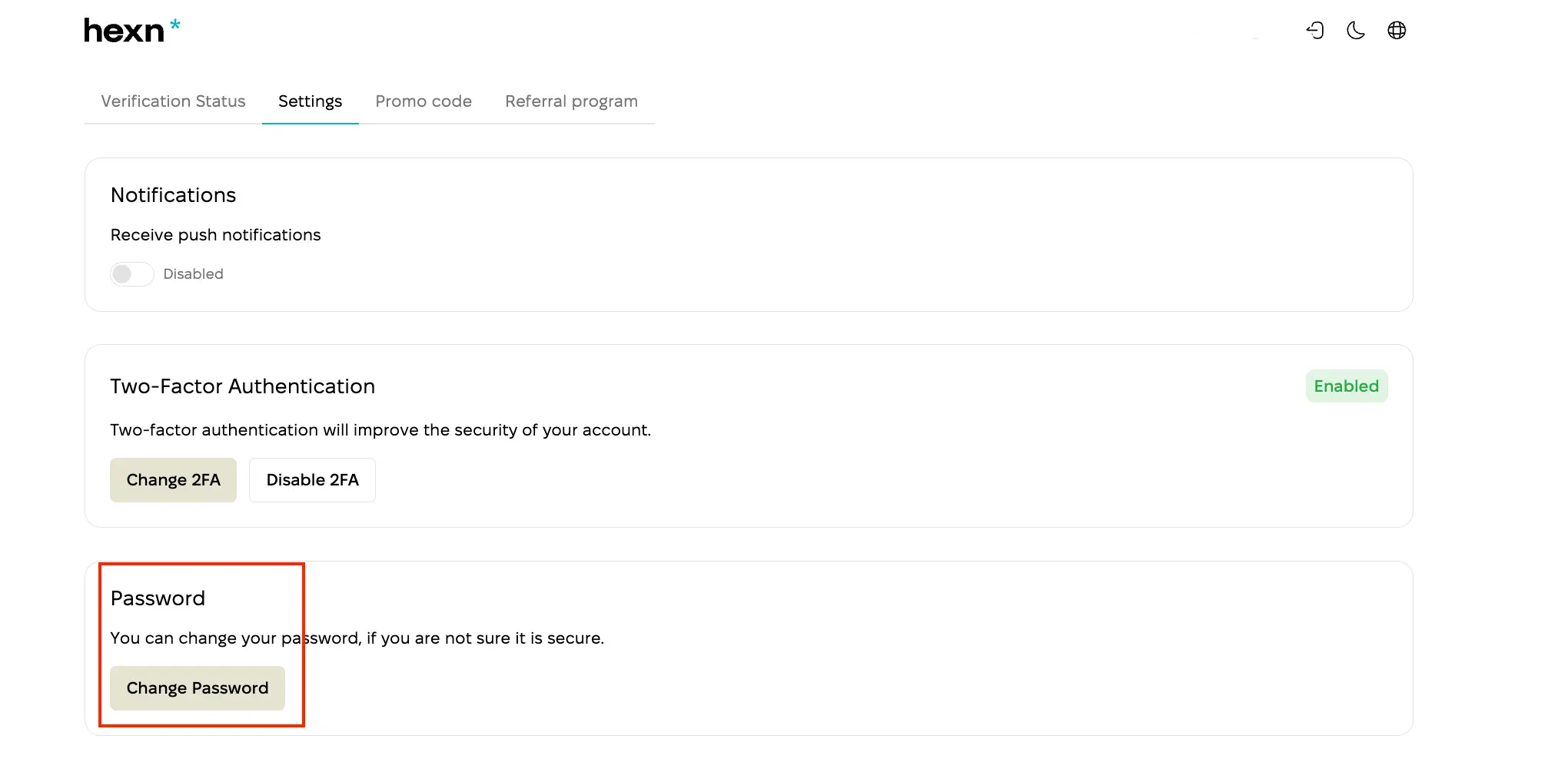
3) Enter your old password and set up a new one. Once ready, click on a "confirm" button
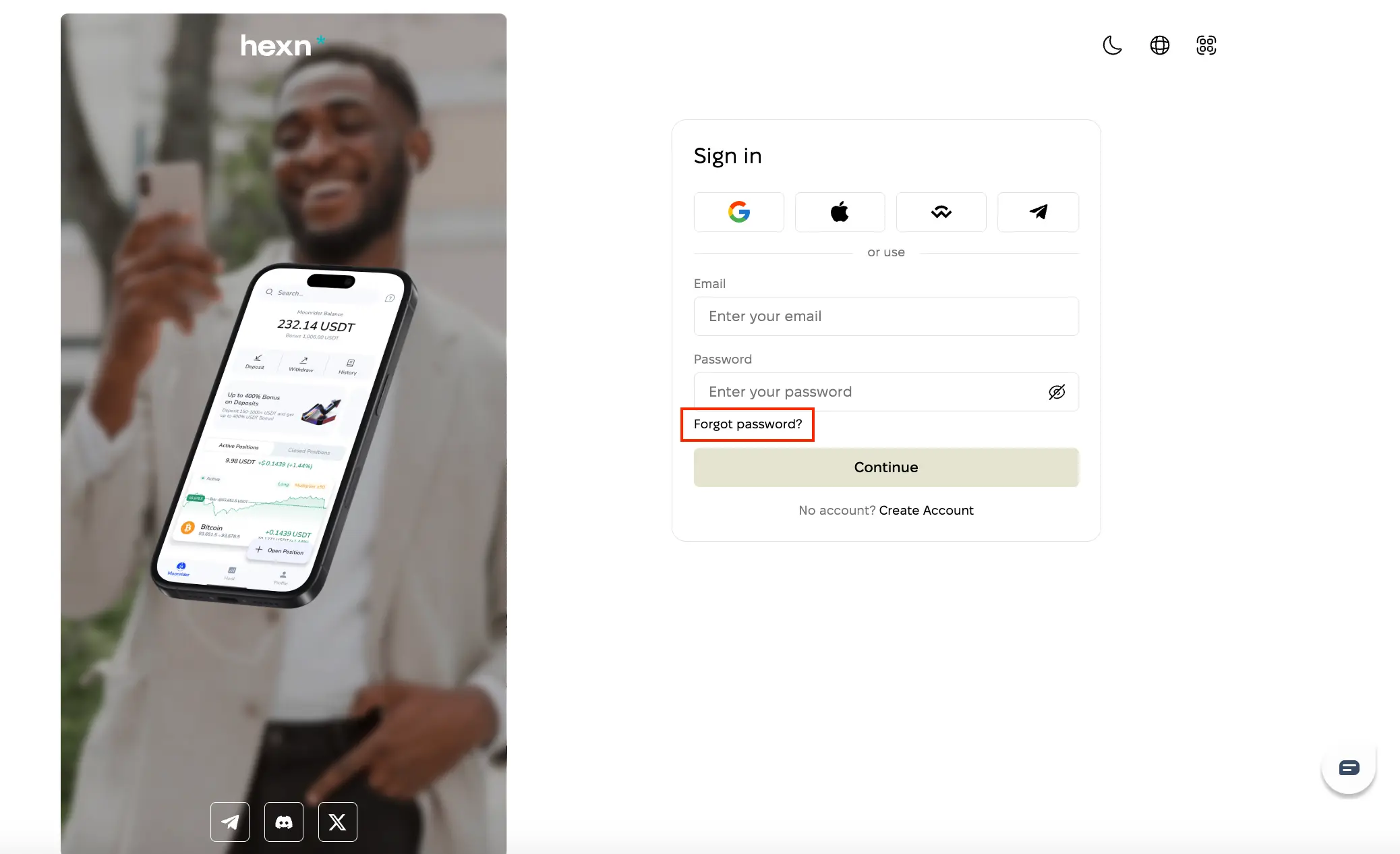
When you forgot your password and cannot log in to your account.
From Sign-in page, click on a "forgot password" button:
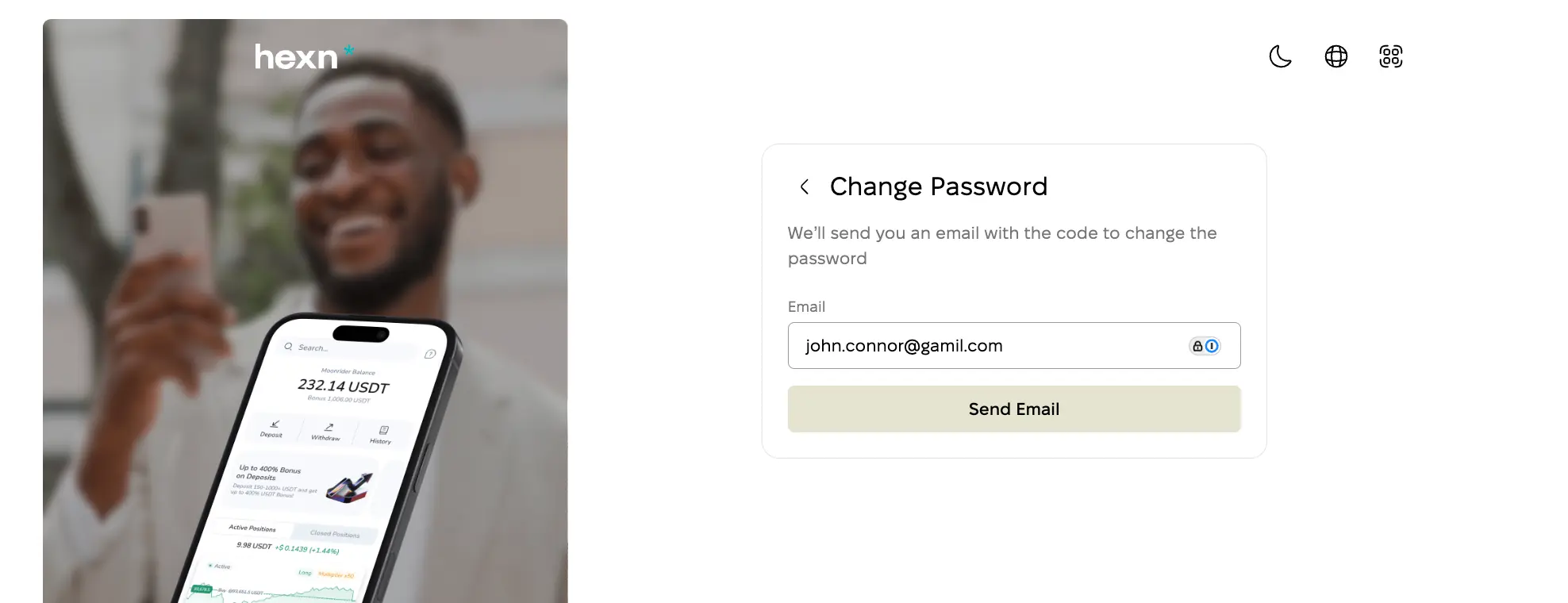
Now enter the email address, you used to register an account at Hexn.io, and click on a "Send Email" button:
Within 5 minutes, you need to receive an email from us. Please check your inbox or spam/promo folders.
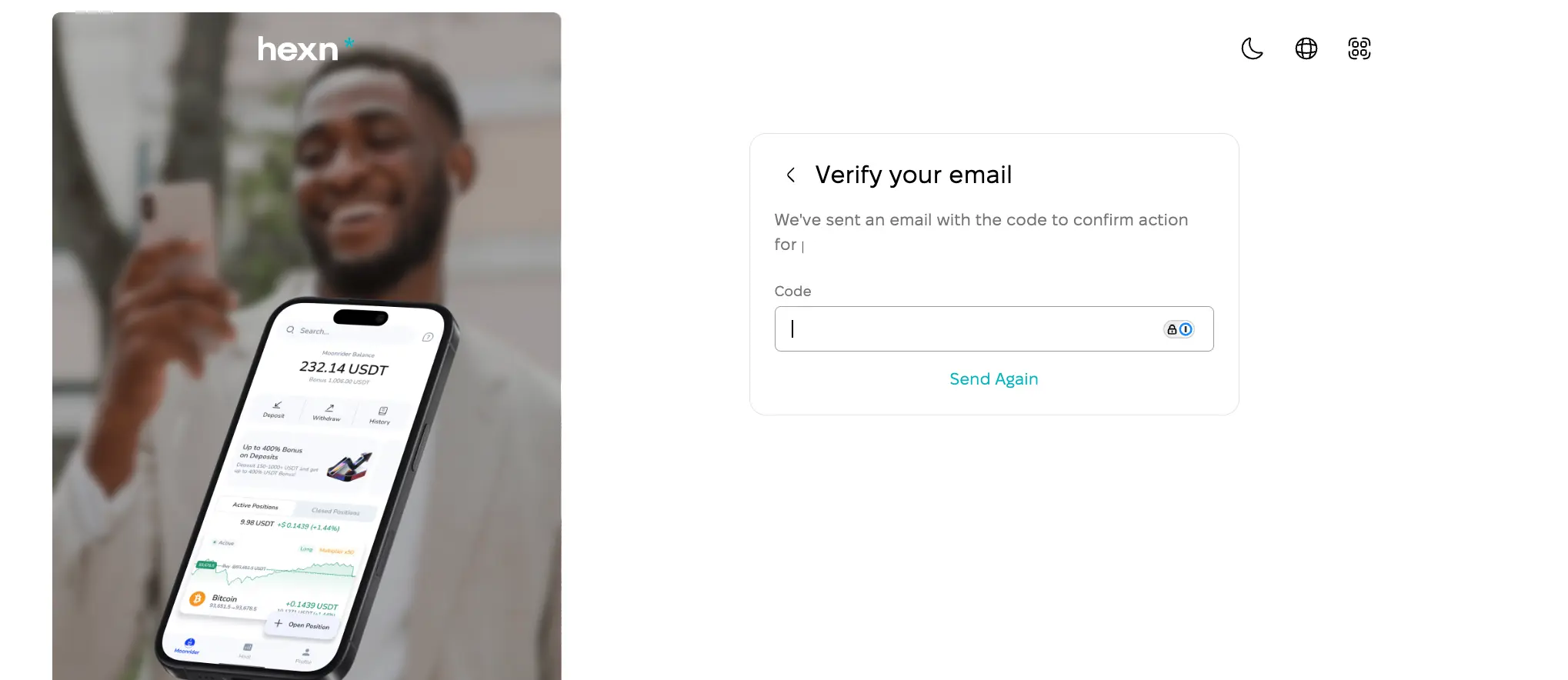
Here you are:
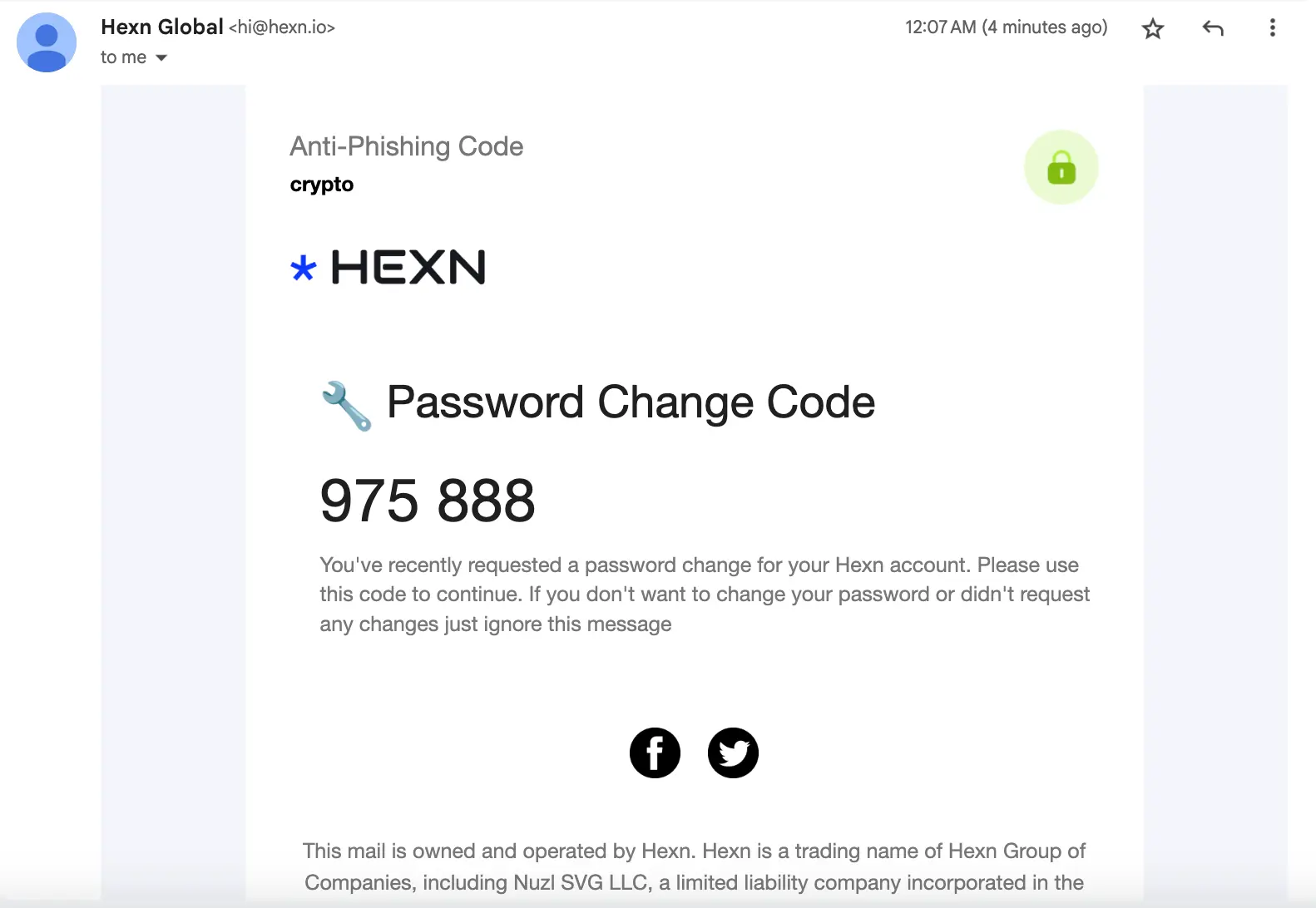
Enter this code in the form on the site. Once filled, the system will prompt you to create a new password:
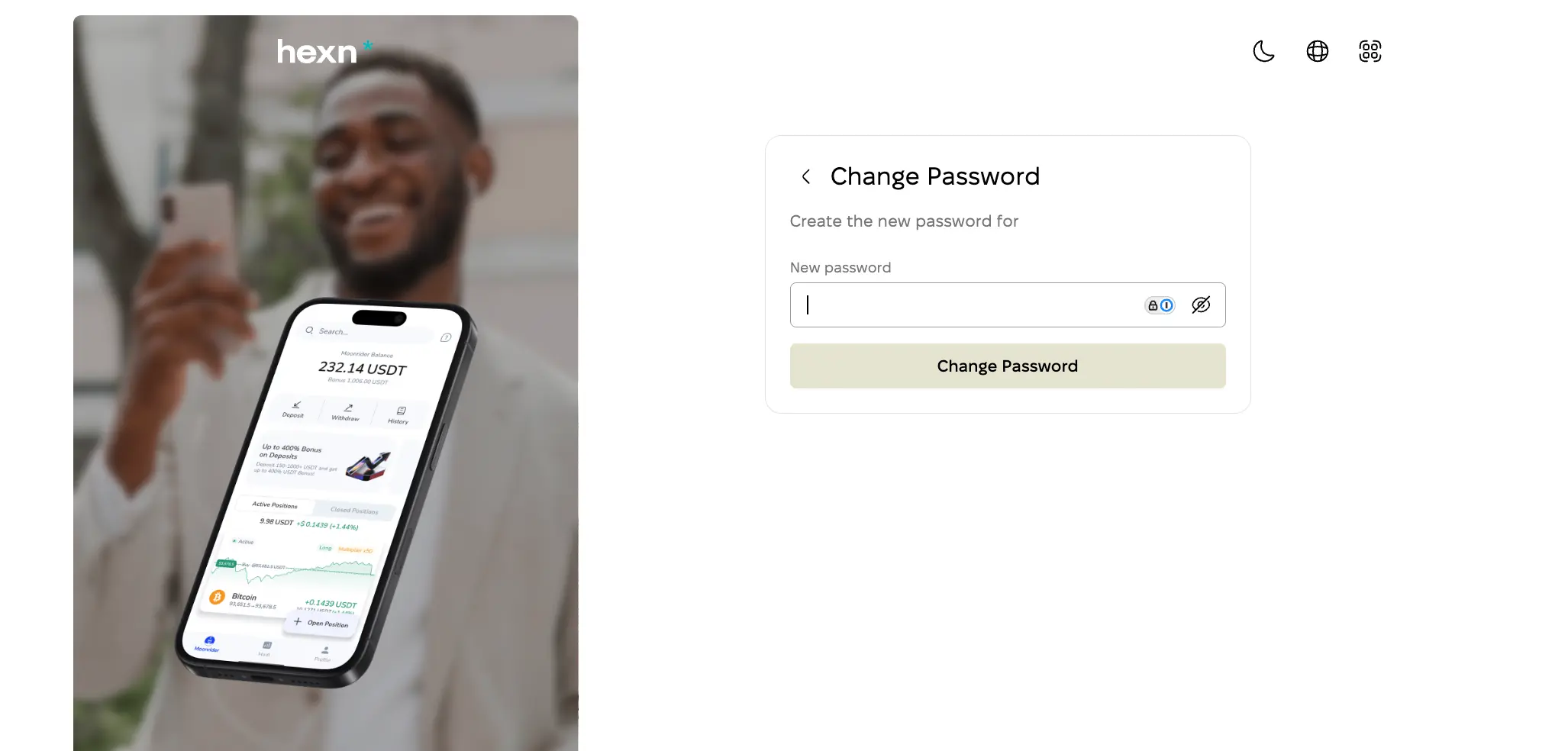
Now create a strong password and finish the process. Well done!
Also, let us please share with you some best practices to set up a strong password.
- Never use the same password for multiple accounts.
- Don’t use personally identifiable terms.
- Avoid using common words or phrases.
- Use different types of characters.
- Make it long (10-12 characters).
- Consider spelling things wrong.
- Change your passwords regularly.
- Never save or share passwords.
- Use a password manager.
Based on the suggestions above, here is an example of a strong password - IwiCcR!fOdIiNkE
Grow your digital asset, Keep your peace of mind
Start Earning


Download the Hexn App
enjoy high-end service at your pocketView our latest articles
 Step-by-Step Guide to Bitcoin ATMsExplore our comprehensive step-by-step guide on using Bitcoin ATMs for efficient and convenient cash-to-crypto conversions near you.
 Replay Attacks ExplainedLearn what a replay attack is and how to defend against it in blockchain ledgers. Discover strong and opt-in replay protection methods.
 How to Use Blockchain for the Supply Chain?How Blockchain Technology Can Revolutionize Supply Chain Management - learn the benefits and challenges of using blockchain in supply chain networks.